All-in-One Canteen Software for High Volume & Daily Menus
From the lunch rush to self-order kiosks, recipe-based portioning and corporate billing — all in one system.
Appy is the canteen software built for high volume: hundreds of trays during a single lunch hour, a daily menu that changes every day, and catering flows for companies and schools. Self-order kiosks and fast tills absorb the queue, recipes control portions and food cost, and invoicing to client companies is generated automatically with Romanian e-Invoicing (e-Factura). One system for orders, stock, allergens and settlement.
Request a Free DemoTransparent pricing: Starter 0 € · Appy POS from 49 €/mo · See pricing
300+ restaurants already use APPY POS
How are orders handled in a canteen?
A canteen does not sell like a restaurant: the menu changes daily, demand concentrates into one lunch hour, and part of the consumption is billed to an employee or a company rather than taken at the till. The right software has to support all three — the daily menu, the peak, and the billing.
- A daily menu, changed quickly, without reconfiguring products
- Hundreds of trays in an hour: few-step ordering, separate queues
- Billing per employee or per company, invoiced monthly
- Pre-orders, so the kitchen knows quantities in advance
- A self-ordering kiosk, to take load off the till at peak
- Recipes and food cost per portion, at volume
Challenges
- At the lunch peak long queues build up and the tills can't keep pace with 300-600 trays in an hour.
- The daily menu changes every day, but prices and allergens are updated manually, on paper.
- You don't know how many portions of each dish are left, so you run out mid-service or throw away surplus.
- Invoicing client companies and settling by cost centre is done in Excel, with errors and delays.
With APPY
- Self-order kiosks and fast till ordering absorb the lunch rush, cutting the queue and service time.
- The daily menu is set up once and syncs automatically to kiosk, QR and screens, with allergens per Order 201/2022.
- Recipes deduct ingredients per portion automatically, and stock shows in real time how many portions you can still serve.
- e-Invoice (e-Factura) documents to client companies, generated automatically and compliant with Law 296/2023.
Results
Ideal for
Features
Daily menu & fast rotation
Build the daily menu once and publish it instantly to till, kiosk, QR and the screens on the line. Prices, dish of the day and availability update in real time, with no hand-rewritten boards.
Self-order kiosks for the lunch peak
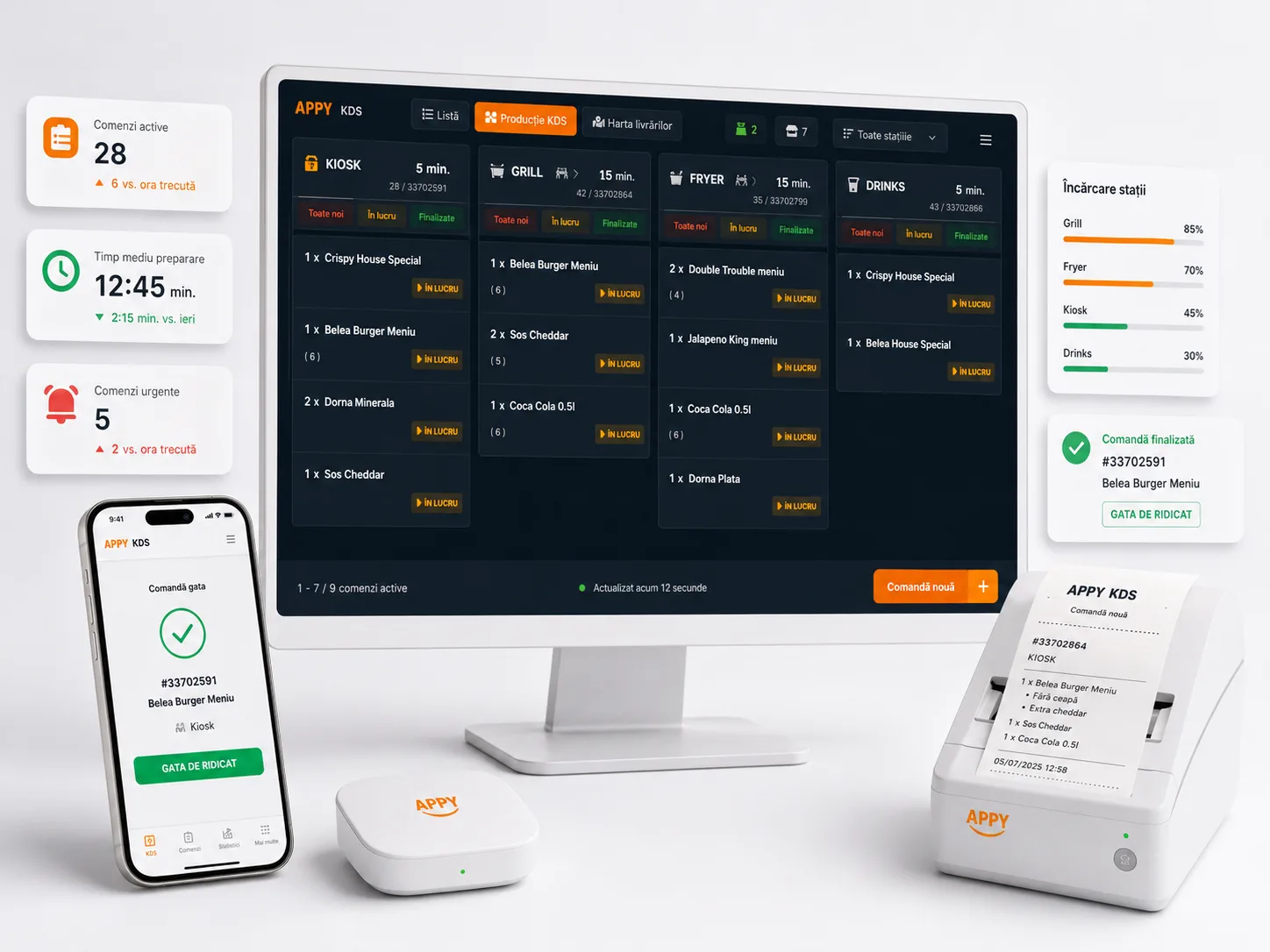
Self-service kiosks absorb the midday wave, cutting the queue at the till and order errors. Guests pick their main, side and extras themselves, and the order lands straight on the KDS.
Portioning & recipes with food cost
Every portion has a recipe that automatically deducts ingredients from stock. See real food cost per dish, how many portions you can still serve, and avoid both stockouts and wasted surplus.
Corporate & school flows
Run company and school canteens with employee accounts, badge/PIN and settlement by cost centre. Consumption is centralised and billed monthly to the employer or institution.
Allergens & legal compliance
Show allergens on every dish per Order 201/2022, directly on the digital QR menu. Update once and the information is visible across all channels, with no compliance risk.
Offline POS for uninterrupted service
At peak hour you can't afford the till to stop. Appy's POS runs fully offline — you take orders and print receipts even if the internet drops, and data syncs automatically when it returns.
How it works
Set up the menu & recipes
Set up the menu & recipes
We import your daily menu, define per-portion recipes with ingredients and allergens, and connect the tills, kiosks and KDS screens on the serving line.
Guests order fast
Guests order fast
At lunch, guests order at a self-order kiosk, at the fast till or by scanning the table QR. Each order lands instantly at the kitchen on the KDS, sequenced by course.
Kitchen serves & controls stock
Kitchen serves & controls stock
Staff see orders live on the KDS, and recipes automatically deduct portions from stock. At any moment you know how many portions of the day's dish are left.
Report & bill corporate clients
Report & bill corporate clients
At day and month end, you automatically generate sales reports, food cost per dish and e-Invoice documents to client companies, with settlement by cost centre.
Why canteens digitise the lunch flow
Frequently asked questions
Digitise your canteen, from till to invoice
Try Appy canteen software for free and manage the lunch volume, portions and corporate billing from one place.
Request a Free Demo