QR Pay-at-Table & Digital Tipping
Guests scan a QR code on the bill, pay from their phone — in full or split — and leave a tip, in seconds.
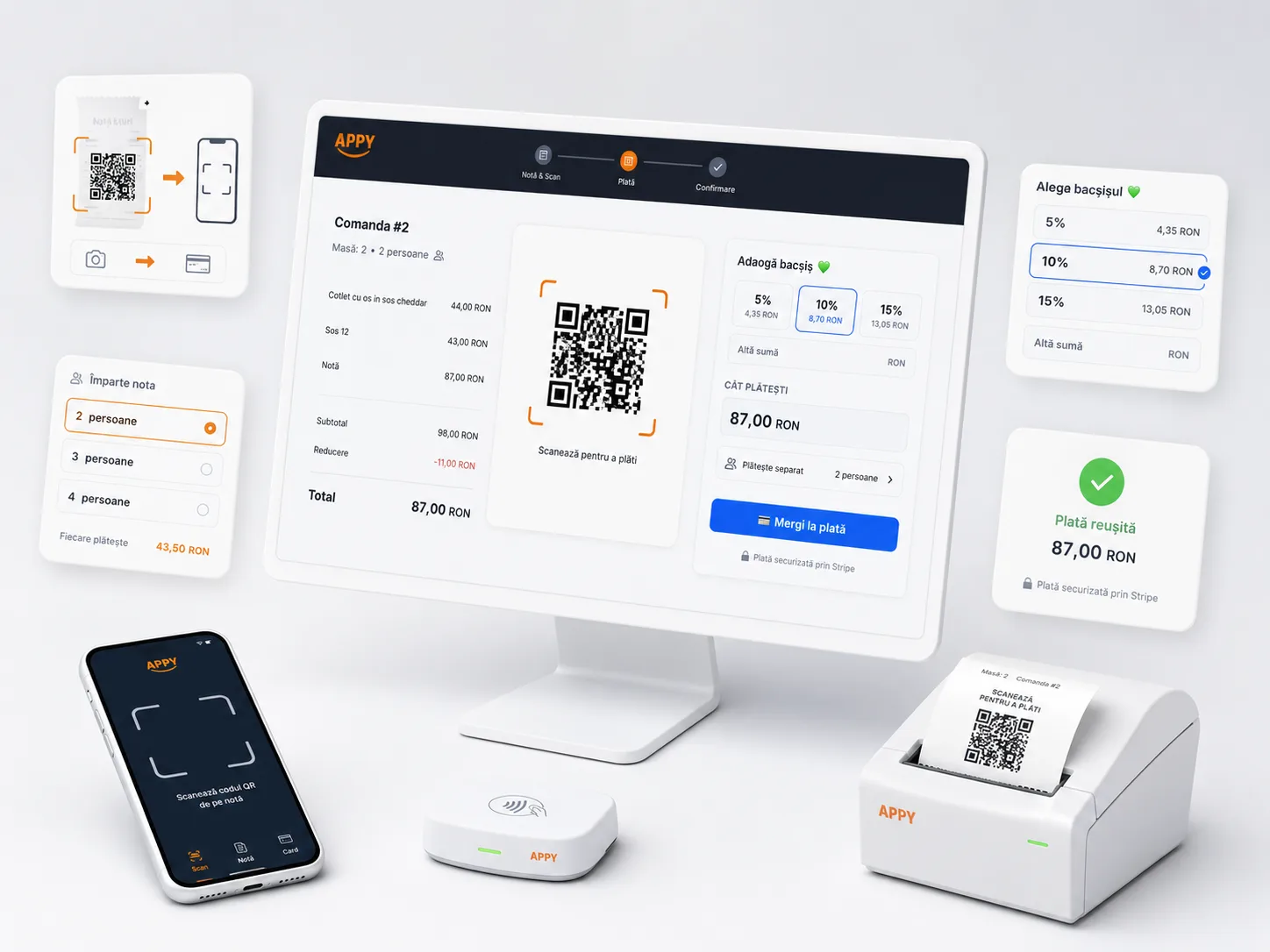
QR pay-at-table turns the bill into a QR code: the guest scans it, sees the itemized bill right on their phone and pays by card, Apple Pay or Google Pay — no app to install and no waiting for the server with the card machine. They can leave a tip with one tap and split the bill: several guests each pay their own part on the same check. The money goes straight to the restaurant via Stripe Connect, the payment shows up instantly in the POS, and reconciliation is automatic.
Activate QR PayTransparent pricing: Starter 0 € · Appy POS from 49 €/mo · See pricing
300+ restaurants already use APPY POS
What is QR pay-at-table?
QR pay-at-table turns the bill into a code the guest scans with their phone. They see the itemised bill, choose how much to pay, add a tip and settle by card or digital wallet, without waiting for a terminal. The payment closes that table automatically in the POS.
- The itemised bill appears on the guest’s phone
- Payment by card, Apple Pay or Google Pay
- Digital tipping, with a suggested percentage
- Bill splitting between several people
- The table closes itself in the POS once paid
- No app for the guest to install
Challenges
- Guests waste time at the end of the meal waiting for the bill, then for the card machine.
- Fewer and fewer guests carry cash — and tips drop along with it.
- Splitting the bill between friends is clumsy and ties up the server.
- Payment reconciliation is manual, with no visibility into who paid what.
With APPY
- The guest scans the QR on the bill and pays from their phone, no waiting.
- Digital tipping with one tap (5/10/15% or a custom amount) — no cash.
- Multiple payments on the same check: each guest pays their part, the remainder drops automatically.
- The payment appears instantly in the POS, with automatic Stripe reconciliation.
Results
Ideal for
Features
QR on the Table Bill
When the bill is requested, a payment QR code is printed on the proforma (thermal receipt or HTML bill). Enabled per location, without changing how your servers work.
Pay Page on the Phone
The guest scans and sees the pay page with the itemized bill, order number and the location logo — straight in the browser, no app to install and no account.
Digital Tipping
Quick tip buttons (5%, 10%, 15%) or a custom amount, calculated on the bill total. The tip is collected digitally and reaches the restaurant together with the payment.
Multiple Payments per Check (Split)
Several guests can pay the same check: the suggested amount is the remaining balance, but each can lower it and pay just their part. The tip is a single value and is never double-charged across payers.
Card, Apple Pay & Google Pay
Secure payment through Stripe with bank card, Apple Pay and Google Pay. Instant confirmation and a payment status shown to the guest, with no extra steps.
Stripe Connect — Money Straight to the Restaurant
The restaurant connects its Stripe account (Stripe-hosted onboarding) and receipts go straight to it. The platform commission is configurable, and optionally the guest can cover the card processing fee.
How it works
Connect Stripe & enable the QR
Connect Stripe & enable the QR
The restaurant connects its Stripe account through a Stripe-hosted flow and enables QR pay on the desired locations.
The QR appears on the bill
The QR appears on the bill
When the guest asks for the bill, the payment QR code is printed automatically on the proforma. Nothing to install at the table.
The guest scans and pays
The guest scans and pays
They see the bill on their phone, choose how much to pay (in full or just their part), leave a tip and confirm with card, Apple Pay or Google Pay.
The payment lands instantly in the POS
The payment lands instantly in the POS
The payment and tip are recorded automatically on the order, in real time, reconciled through Stripe. A payment can be voided from the POS, with an automatic refund.
Frequently asked questions
Get paid at the table in seconds
QR payment, digital tipping and bill splitting — happier guests and tables turned faster.
Activate QR Pay