Kitchen Display System — Replace Paper Tickets with Digital Screens
Crystal-clear kitchen communication, zero lost tickets, faster food delivery.
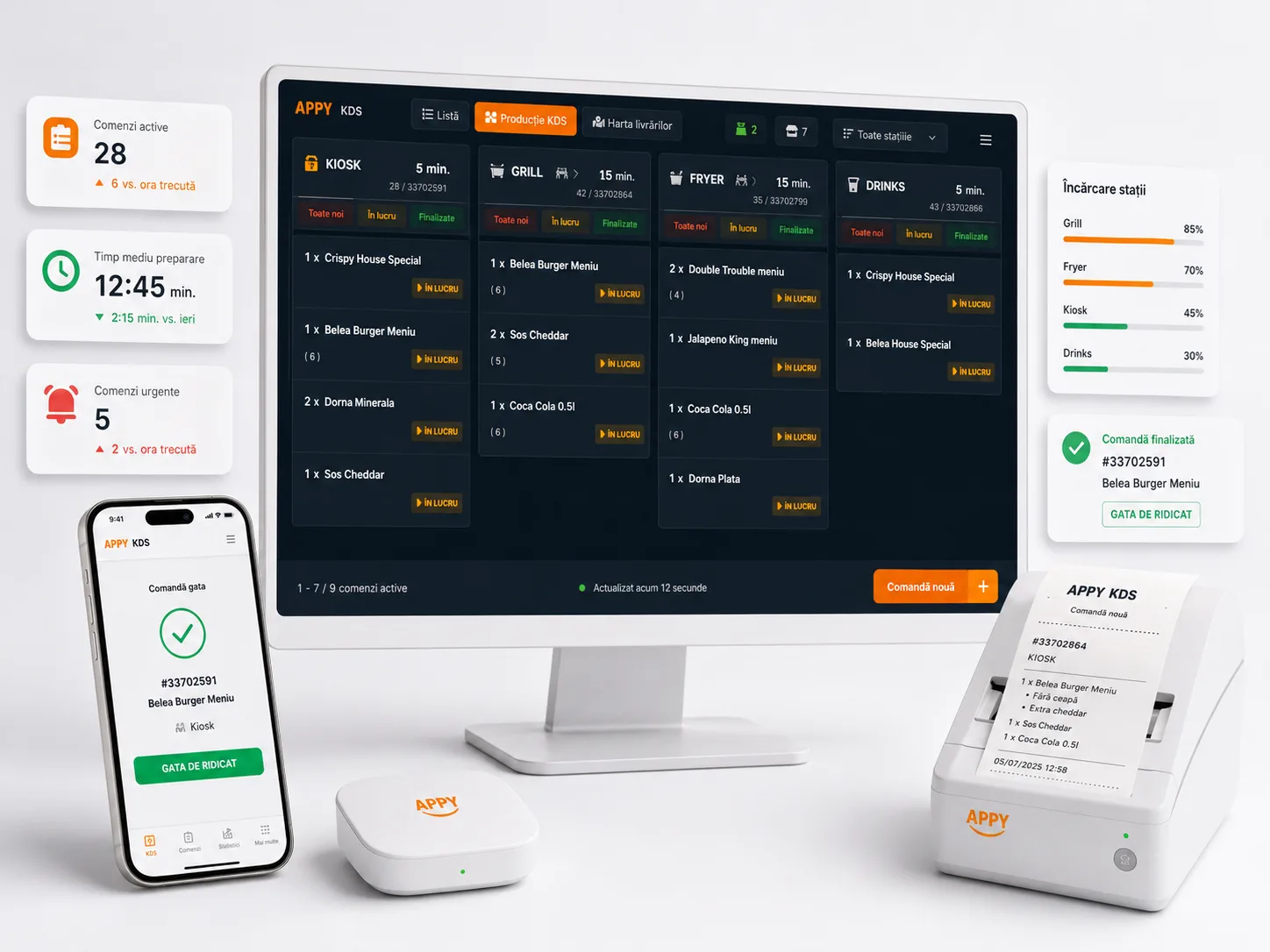
The APPY Kitchen Display System transforms your kitchen workflow by replacing messy paper tickets with color-coded digital screens. Kitchen staff see every order in real time, track preparation times, and mark items done with a tap — keeping the line moving and customers happy.
Book a KDS DemoTransparent pricing: Starter 0 € · Appy POS from 49 €/mo · See pricing
300+ restaurants already use APPY POS
What is a KDS — a kitchen display system?
A KDS is a screen that replaces the paper ticket in the kitchen. The order appears the moment it is sent, split by section — grill, sides, bar — with a timer on each dish. Staff mark items ready, and the floor sees the status without walking to the pass.
- Orders appear instantly, with no paper and no trip to the printer
- Routing by section: each station sees only its own items
- A timer per order, with late ones highlighted
- Ready-marking that the floor sees immediately
- Runs on any screen with a browser
- Preparation-time history for reporting
Challenges
- Paper tickets smudge, fall off the rail, or get shuffled out of order
- Kitchen staff constantly shout across stations, causing mistakes during rush hours
- No visibility into how long each order has been waiting
- Difficult to prioritize dine-in vs. delivery vs. takeaway without a system
With APPY
- Digital tickets are always legible, color-coded by channel, and impossible to lose
- Each station sees only its relevant items — grill, cold, bar — reducing noise
- Built-in timers turn yellow then red so delayed orders are impossible to miss
- Automatic priority rules ensure delivery orders start on time while dine-in stays fresh
Results
Features
Station-Based Routing
Automatically split orders by preparation station — hot, cold, bar, dessert. Each screen shows only the items that station needs to prepare.
Color-Coded Order Channels
Dine-in, takeaway, delivery, and portal orders each display in a distinct color so your kitchen team instantly knows the priority and packaging requirements.
Live Preparation Timers
Every ticket has a running clock. Configurable thresholds highlight orders that approach or exceed target prep times, preventing bottlenecks.
Bump & Recall
Kitchen staff bump completed items with a tap. Accidentally bumped? Recall the ticket instantly — no reprint, no confusion.
Course Firing (Hold & Fire)
Hold dessert courses until the server fires them. Coordinate multi-course meals effortlessly so every plate arrives at the right moment.
Kitchen Performance Metrics
Track average ticket time, items per hour, and station throughput. Use data to optimize staffing and menu complexity.
How it works
Mount Your Screens
Mount Your Screens
Install affordable Android tablets or commercial displays at each station. APPY supports any screen size from 10" tablets to 24" monitors.
Map Stations & Routing Rules
Map Stations & Routing Rules
Assign menu categories to stations in APPY's admin panel. Orders are automatically split and routed the moment they are placed.
Cook, Bump, Serve
Cook, Bump, Serve
Kitchen staff see incoming tickets in real time, prepare items, and bump them when done. Servers get notified that the order is ready for pickup or delivery.
Frequently asked questions
Digitize your kitchen today
See how KDS eliminates ticket chaos and speeds up every order.
Book a KDS Demo