The App for Your Restaurant's Delivery Drivers
Your drivers see their orders on the phone, start navigation in one tap and change the status with a slide.
Courier App is APPY's native app for a restaurant's own delivery drivers, on Android and iPhone. What you assign in the POS appears on the driver's phone with a notification. Every step they take, from Picked up to Delivered, shows in the POS at once, and while they are "On duty" you see them on the drivers' map.
Request a Demo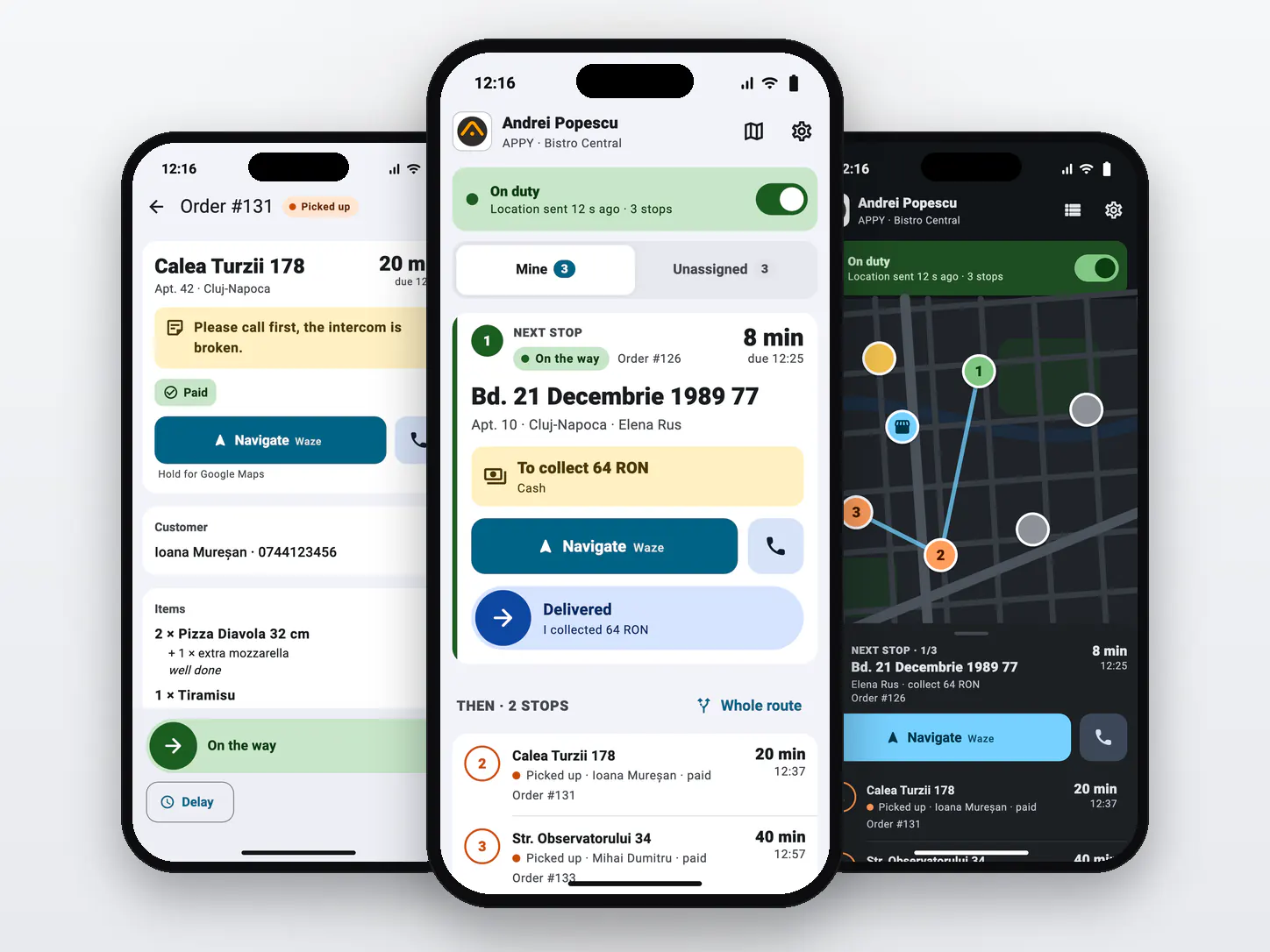
300+ restaurants already use APPY POS
What is an app for a restaurant's own delivery drivers?
It is the app on the phone of the employee who delivers: it shows the orders assigned to them, the address and what they have to collect, and lets them change the order's status on the way. Linked to the restaurant's POS, it sends the driver's location while they are on duty and keeps each order up to date with no calls between kitchen, dispatcher and driver.
- The orders assigned in the POS, with the next stop on top and the rest numbered
- Picked up, On the way and Delivered, each with a single slide
- Navigation with Waze or Google Maps and a call to the customer in one tap
- The amount to collect and the payment method on every order
- Unassigned orders, taken from the list or by scanning the ticket
- GPS location and notifications only while the driver is "On duty"
Courier App runs on Android and iPhone and works on the same orders and rules as the POS driver mode.
What the app looks like
Six screens from a driver's shift: what comes next, the order, the free orders, a delay, the map and signing in.
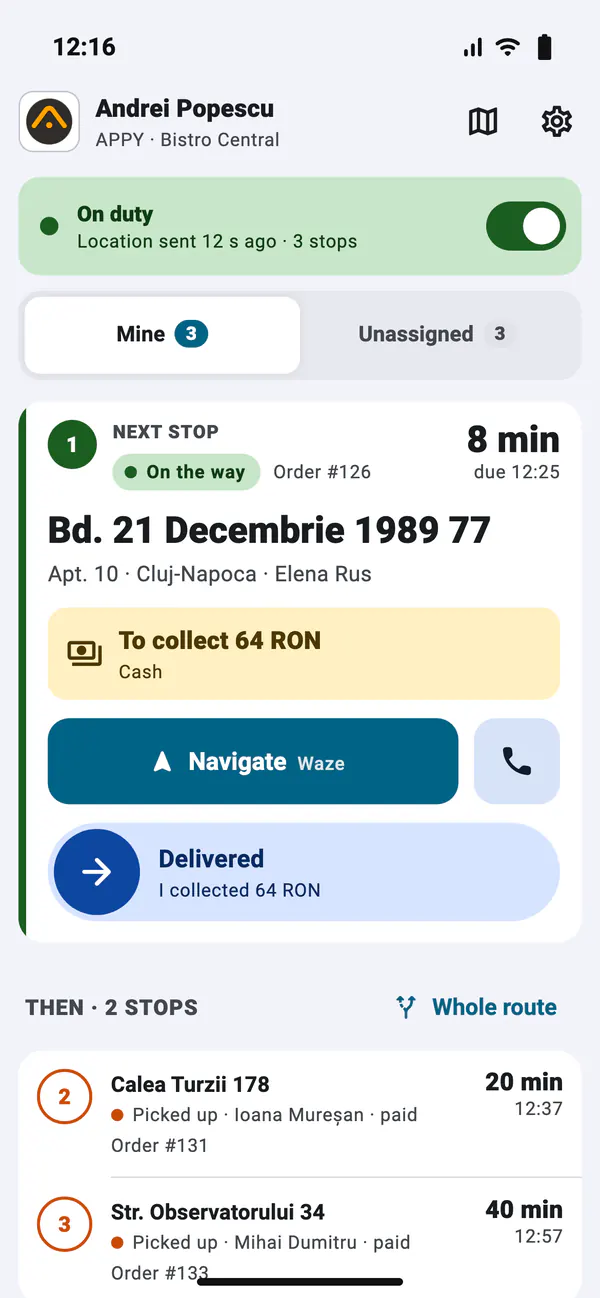
The next stop, on top
The address, the amount to collect and navigation for the order that comes next. The other stops are numbered below: first those already on the way, then by promised time.
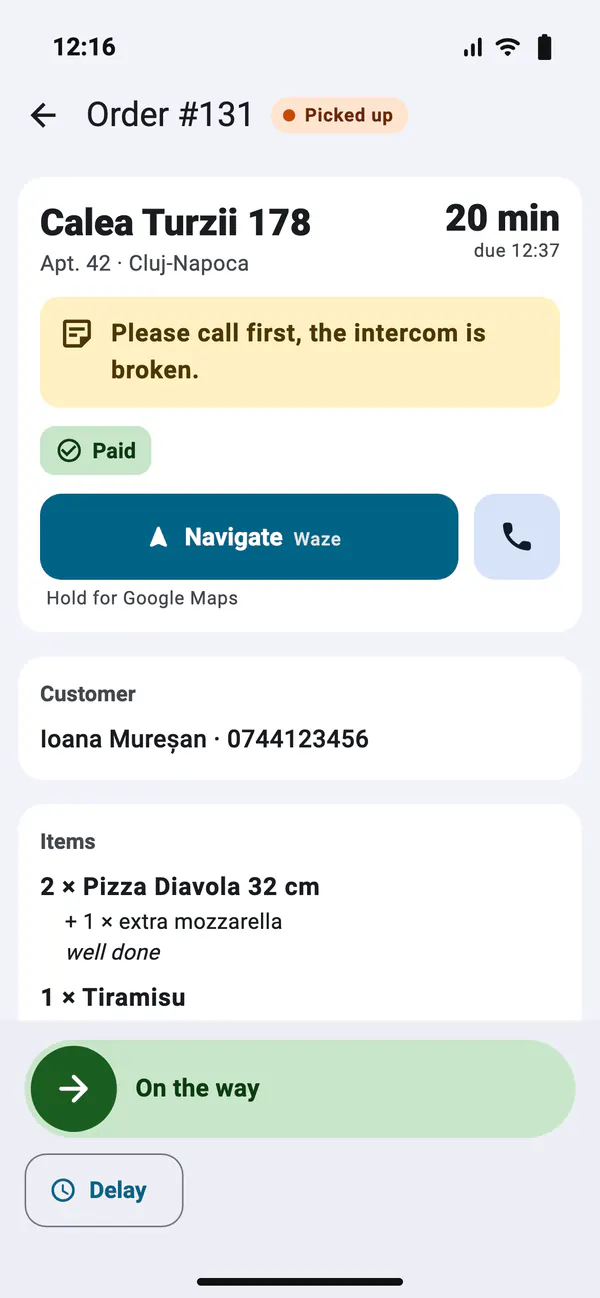
One slide, not two taps
The order page: address, the customer's note, the products. The slide takes the colour of the status it leads to: orange Picked up, green On the way, blue Delivered.
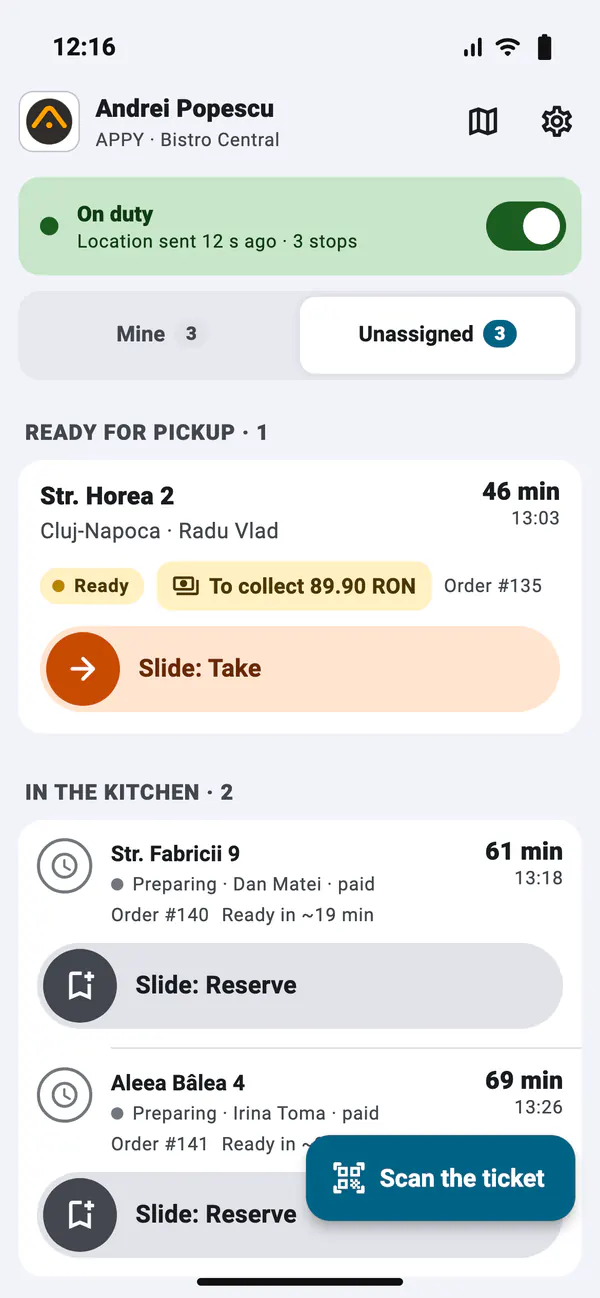
Unassigned orders
With the right set in the POS, the driver sees the orders ready to pick up and takes them, and reserves those still in the kitchen. Or scans the ticket.
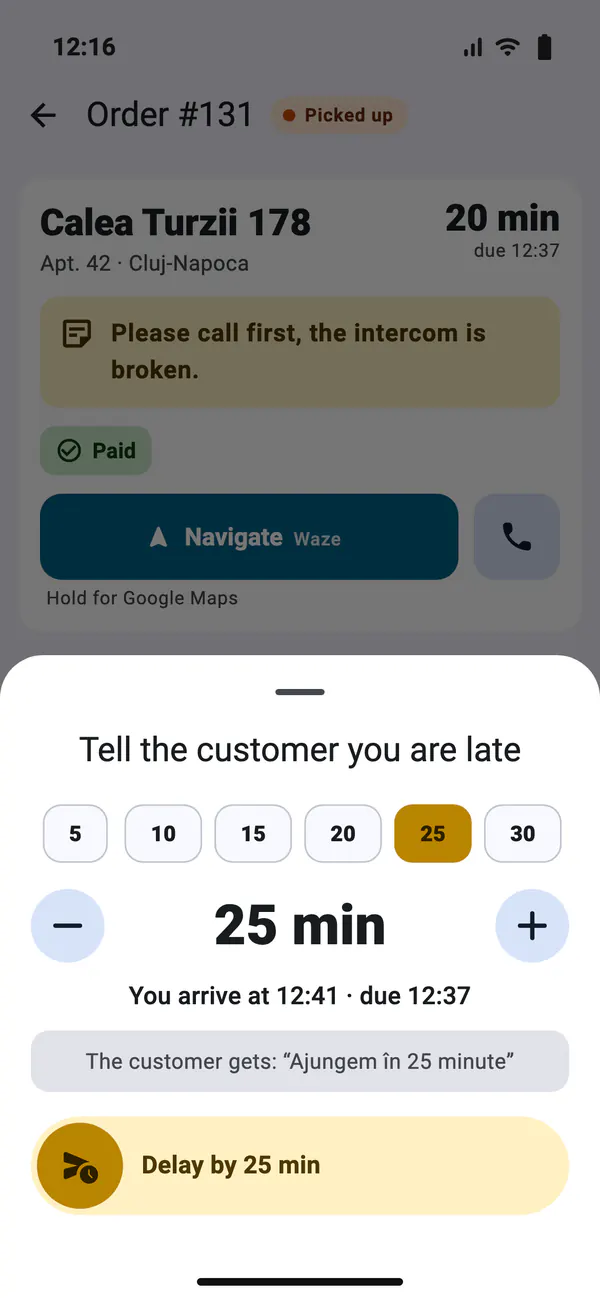
Report a delay
Pick how many minutes late: the promised time moves in the POS, and the customer gets a notification if theirs are on. Its text is Romanian for now: "Ajungem în N minute".
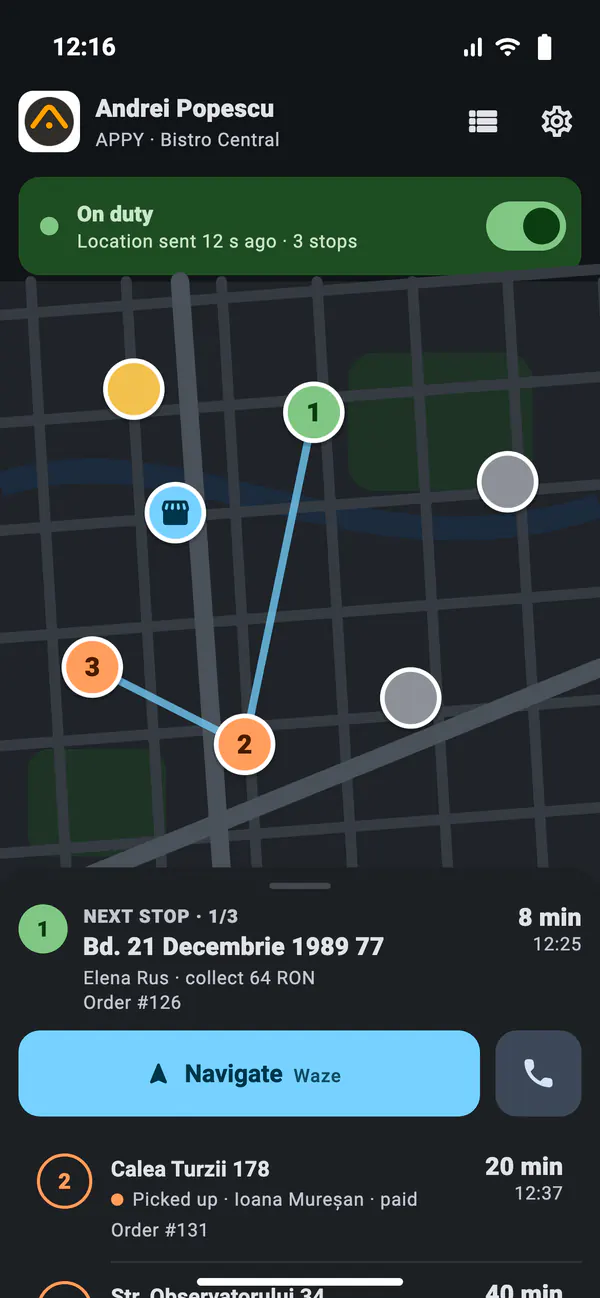
Stops on the map
The numbered stops, the restaurant and the unassigned orders on one map, with the next stop in the bottom panel. Shown here in dark mode.
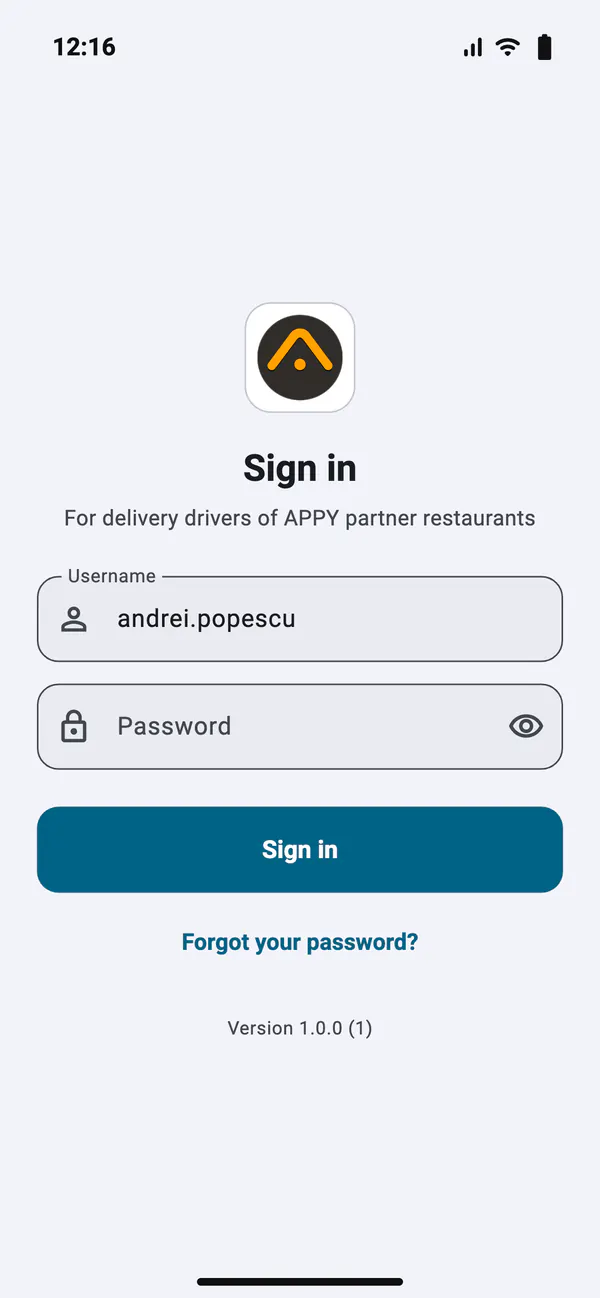
An account of their own
The driver signs in with their POS username. With the default password from the restaurant, the app asks for a password of their own at once; if they forget it, a reset link goes to their email.
Screenshots of the app with sample data. The map background is simplified; in the app the map is Google Maps.
Challenges
- The dispatcher calls the driver to find out where they are and which order they took.
- The address reaches the driver on a slip of paper or on WhatsApp and is typed into navigation by hand.
- In the POS, the order stays "Ready" until the driver is back at the restaurant.
- The customer calls to ask when the order arrives, and nobody knows exactly.
With APPY
- An order assigned in the POS appears on the driver's phone with a notification.
- Navigation starts from the app with the full address, and the customer is one tap away.
- Picked up, On the way and Delivered change from the phone and show in the POS at once.
- A delay is reported from the app: the promised time moves and the customer is notified.
Results
Features
Mine and Unassigned
Two lists: the driver's orders, with the next stop on top, and the orders not yet assigned, which only drivers with the right in the POS see. The driver's restrictions set in the POS apply in the app too.
Every step, one slide
Take, Reserve, On the way, Delivered or another status: each is confirmed with a slide coloured like the status in the POS, so nothing is sent by a stray tap. With several orders picked up, "Start with all" moves them all to On the way.
Navigation and calls
Waze or Google Maps, as the driver prefers, open with the order's address. The call to the customer is on the same page, next to their note.
Payment on every order
The app shows whether an order is paid, or how much the driver has to collect and by which method. Collecting works as before: the app only shows it.
GPS while "On duty"
The location is sent in the background, also with the screen locked, only while the driver is On duty. Off duty, the app sends nothing and gets no notifications.
Scan the ticket
The QR code on the order ticket opens it in the app: when the order is ready, it is assigned to the driver and marked Picked up, with no searching through the list.
How it works
The driver gets access
The driver gets access
They have an employee account in the POS at the Driver level. They sign in to the app with their username and, the first time, choose a password of their own.
They start the shift
They start the shift
They switch to "On duty": the app sends their location and gets notifications for orders assigned to them or ready to pick up.
They deliver
They deliver
They take the order, start navigation and slide at every step. The POS sees the status at once, and the dispatcher sees the driver on the map.
Frequently asked questions
Give your drivers the app
Tell us how many drivers you have and how you hand them orders today, and we will show you the app on your restaurant's orders.
Request a Demo